Table of Contents
Constructing a server on your own can provide more control over performance, hardware, security, and price. Nevertheless, making the correct choice regarding the server configuration is not an easy task. Some people prefer to build their server themselves, whereas other individuals choose a custom-built server.
The choice to go for either building your own server or a custom server will depend on your budget, your technical know-how, workload, and needs. Even though a do-it-yourself server is cheaper, a custom server may end up saving you time and money. In this guide, we will compare both options to help you understand which server is right for you
What Is the Difference Between Building Your Own Server and a Custom-Built Server?
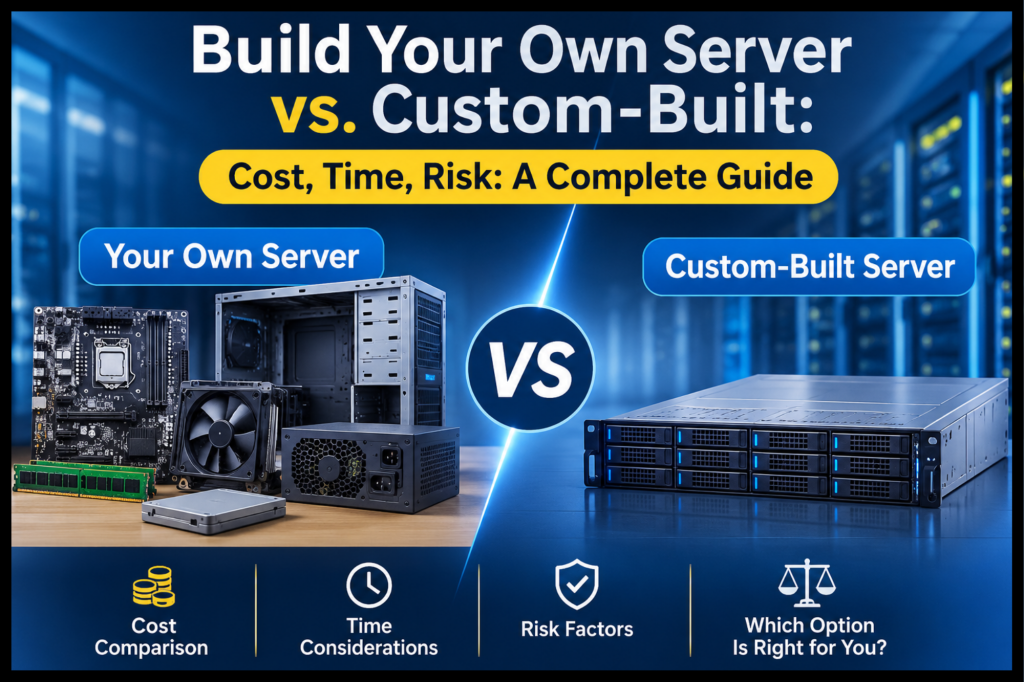
Building your own server means purchasing individual components such as a CPU, motherboard, RAM, storage, power supply, and cooling system, then assembling and configuring everything yourself.
A custom-built server is designed around your requirements, with hardware selected and assembled to support your specific workload. It may also include professional configuration, testing, and technical support.
The main difference is responsibility. When you build your own server, you manage the entire process. With a custom-built server, you can rely on expert hardware selection and assembly while still getting a system tailored to your needs.
Is Building Your Own Server Cheaper?
Building your own server can be cheaper initially because you can select affordable components and avoid some assembly costs. It is a good option if you already have hardware knowledge and can manage installation and troubleshooting yourself.
However, the total cost includes more than hardware. You should also consider electricity, software, storage, cooling, maintenance, upgrades, and the time required to configure everything.
A custom-built server may cost more upfront, but professionally selected components can help prevent compatibility problems and unnecessary upgrades.The best way to compare costs is to consider the total cost of ownership, not just the initial purchase price.
How Much Time Does It Take to Build Your Own Server?
Building your own server requires time for researching components, checking compatibility, assembling hardware, installing an operating system, configuring networking, and testing performance. For an experienced user, the process may take a few hours. Beginners may need considerably longer, especially when troubleshooting hardware or software issues.
A custom-built server can save time because the components are selected, assembled, and tested before deployment. This makes it a practical option for businesses that need reliable infrastructure without spending days on setup.
What Are the Risks of Building Your Own Server?
Building your own server offers flexibility, but it also comes with responsibilities and potential risks.
- Hardware compatibility: Incorrect component selection can cause installation problems or unexpected expenses.
- Downtime: It is caused by hardware malfunctions or poor system configurations.
- Security risks: Bad firewall configurations, outdated software or weak password protection can make your server vulnerable.
- Maintenance expenses: You must take care of all updates, repairs, monitoring, and hardware replacement.
- Scalability: A server designed for current needs may not support future workloads efficiently.
Proper planning, reliable hardware, regular backups, and security updates can help reduce these risks.
Which Server Is Best for Your Business or Personal Use?
It all depends on your needs in terms of what you wish to run on the server.
Website Hosting: Choose a server with sufficient CPU performance, RAM, SSD storage, reliable networking, and strong security to support websites and applications.
For Virtualisation: If you want to run several virtual machines, choose the processor cores, RAM, storage speed, and virtualisation.
For Data Storage and Backups: Focus on storage capacity, drive reliability, backup solutions, data protection, and network speed.
For Small Businesses: A reliable server with sufficient resources, security, scalability, and easy maintenance is often more important than choosing the cheapest hardware.
How to Choose the Right Custom-Built Server for You?
Before purchasing a custom-built server, consider these important factors:
- Purpose: Identify whether you need the server for hosting, storage, virtualisation, databases, or business applications.
- Budget: Include hardware, electricity, software, maintenance, and future upgrades.
- Performance: Select the appropriate CPU, RAM, storage, and network capacity.
- Reliability: Choose dependable components and plan for backups and recovery.
- Scalability: Ensure the server can support future business growth.
- Technical support: Consider professional assistance if you do not have the expertise to manage server hardware and configuration.
Choosing the right server from the beginning can help prevent unnecessary expenses and improve long-term performance.
Build Your Own Server vs. Custom-Built: Which Should You Choose?
Building your own server is ideal for developers, IT professionals, and technology enthusiasts who want complete hardware control, hands-on experience, and potentially lower initial costs.
A custom-built server is a better option for businesses and users who need a system designed for their workload, faster deployment, reduced setup complexity, and professional assistance. Neither option is universally better. Your decision should depend on your technical skills, available time, budget, and reliability requirements.
Conclusion
Building your own server gives you flexibility, control, and the opportunity to save money, while a custom-built server offers convenience, expert configuration, and reduced setup effort. Both options can deliver excellent performance when selected according to your requirements.
Before making a decision, evaluate your budget, workload, technical expertise, maintenance responsibilities, and future needs.
At Serverstack, choosing the right server starts with understanding your requirements. Whether you need your own server for development, business applications, storage, or hosting, selecting the right configuration can help you achieve better performance, reliability, and long-term value.
Frequently Asked Questions
1. Is it cheaper to build your own server?
Yes, it can be cheaper upfront because you select and purchase the components yourself. However, maintenance, electricity, troubleshooting, and upgrades should also be included in your budget.
2. Can I use a regular PC as my own server?
Yes. A standard PC is capable of handling websites, applications, storage, development platforms, and even virtual machines. Nevertheless, sustained operation demands the appropriate cooling, protection, storage, and hardware.
3. Is a custom-built server better for business?
A customised server may be a better choice for businesses that need reliability, custom hardware, fast implementation, and professional installation.
4. How much RAM does my server need?
Basic servers can operate with 8 to 16 GB of RAM, and virtualisation, databases, and heavy applications need at least 32 GB of RAM. This all depends on the particular workload and number of users.
5. Which operating system is best for a server?
Ubuntu Server, Debian, Windows Server, and Proxmox VE are some examples. The selection varies depending on applications, level of expertise, licenses, and the use of the server.
6. Can I upgrade my server in the future?
Yes, if your hardware supports expansion. You may be able to increase RAM, add storage, improve networking, or upgrade other components depending on the motherboard and server configuration.