
Table of Contents
Choosing the right server is one of the most important technology decisions for any growing business. Whether you are running a small business, managing an IT infrastructure, hosting business applications, or planning to expand your company’s digital operations, the right server can play a vital role in performance, security, reliability, and long-term costs.
Companies seeking server vendors in Mumbai, comparing server costs in India, or choosing a server for their organization should weigh both options equally, not decide based solely on upfront cost.
In this guide, we explain the differences between a pre-built server and a custom-built server, their advantages, disadvantages, pricing considerations, performance factors, and which option suits different business requirements.
Which one is best: Pre-built Server vs Custom-Built Server?
Before comparing the two options, it is important to understand what pre-built and custom-built servers actually mean.
What is a Pre-built Server?
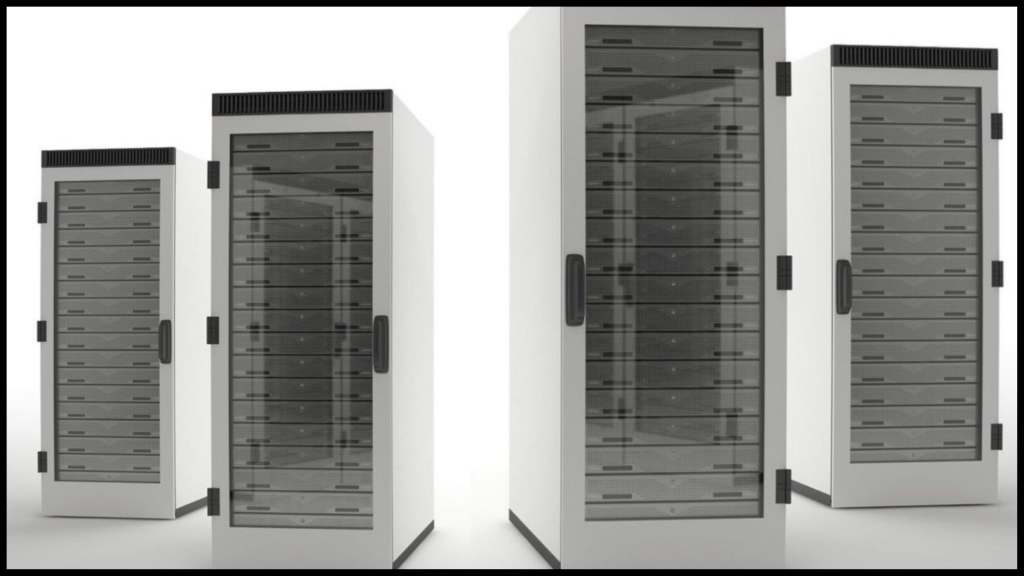
A Pre-built server is a server system manufactured and assembled by an established hardware manufacturer. It comes with a predefined hardware configuration that is designed for standard business and enterprise workloads. These servers are usually available in various configurations based on processing, memory, storage, and networking needs.
What are the Benefits of Using a Pre-built Server?
1. Ease of implementation
One advantage pre-built servers offer is convenience. Because the supplier has manufactured and tested the hardware, companies do not need to choose and assemble their own components.
2. Manufacturer warranty and support
Established server manufacturers generally offer product warranties, technical documentation, and support services based on the selected product and warranty package. This makes troubleshooting and hardware replacement more predictable.
3. Hardware compatibility
Customized servers are built on validated hardware configurations. The chance of compatibility issues among processors, memory, storage controllers, and other hardware is greatly reduced.
4. Easier procurement
Businesses with standard IT requirements can purchase a ready-made configuration without spending significant time planning individual hardware components.
5. Suitable for regular use
Custom-built servers are perfect for file serving, databases, applications, domain controllers, and general business needs.
What is a Custom-Built Server?
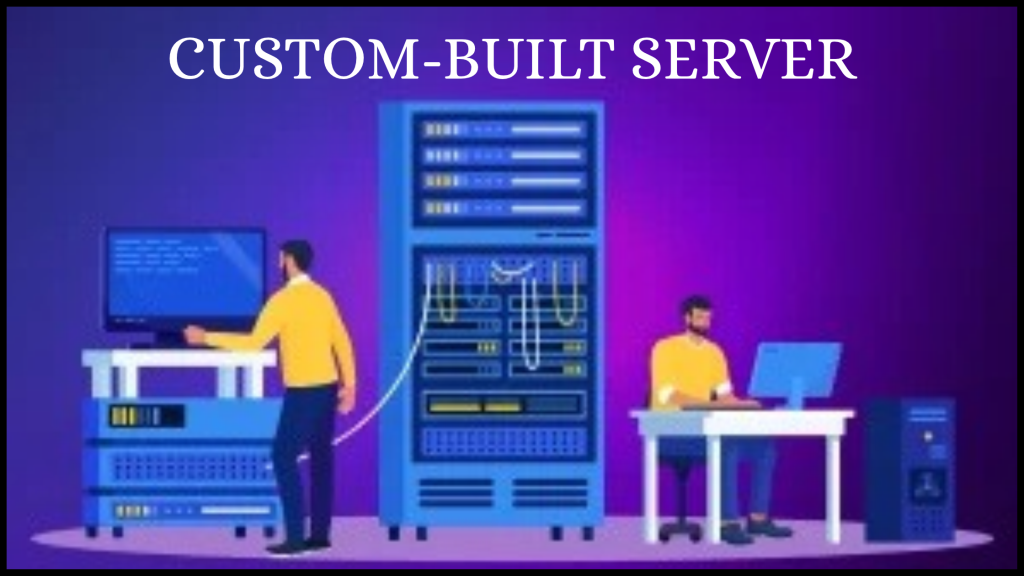
A custom-built server is a server system designed and assembled to meet a business’s specific requirements. Instead of choosing only from standard manufacturer configurations, businesses can select individual hardware components based on their workload, performance expectations, storage requirements, scalability needs, and available budget. A professional custom server configuration considers the entire infrastructure rather than focusing only on the processor or RAM.
How Does a Custom-Built Server Work?
The process generally begins with understanding the business workload. A server specialist evaluates which applications will run on the machine, how many users will access it, how much data needs to be stored, and what performance level is required. The hardware architecture is designed based on the requirements stated above. For instance, a firm that uses virtual machines would require more RAM, more CPU cores, and faster storage, such as NVMe. A company that handles customer data would focus more on storage space, RAID support, and backup systems.
What are the key benefits of Custom-Built Servers?
1. Total flexibility in configuration
The main advantage of custom-built servers is the ability to choose components based on business needs. You can emphasize CPU performance, memory, storage, networking capacity, or GPU capabilities based on your task.
2. Improved budget distribution
Personalized hardware helps you avoid unnecessary expenditures. For instance, a company that needs ample storage capacity but only moderate computing power can invest more in storage rather than buy an expensive processor setup it may never use.
3. Options for upgrades
A well-planned, customized server allows you to upgrade the RAM, hard disk, network cards, and other Components of the computer. This helps the company plan for its future requirements.
4. Control over Specifications
The organization can decide its specifications based on its needs and financial position rather than following set specifications. Disadvantages of Custom-Built Servers: Some considerations relate to custom-built servers. Selecting hardware needs technical knowledge. Component compatibility should be checked properly.
- Assembling components requires more time.
- The warranty offered on the components and the whole system may vary.
- Businesses require a trusted service provider for maintenance and troubleshooting.
- Poor configuration planning can result in performance bottlenecks.
- This is why selecting a qualified server solution vendor is crucial for a custom-designed system.
What is the difference between a Pre-built server and a custom-built server?
Now that you understand both alternatives, let’s look at them from a business perspective.
1. Performance and Processing Power
Performance is the main factor to consider when selecting the appropriate server. Servers come preconfigured to suit certain types of loads. Such configurations will offer great performance if the right configuration for the specific load is chosen. However, for organizations with unique loads, a customized configuration offers significant advantages.
2. Cost Analysis: Which one will be Cheaper?
The cost of a custom-built server varies depending on the chosen components, their availability, configuration process, warranty, and other services. Many prices are available in the market for pre-built servers, depending on the manufacturer, processor series, RAM capacity, storage system, and enterprise capability. The myth is that a custom-built server is always cheaper than a pre-built server. But that is not necessarily the case. In some cases, a custom server can be more economical if you need hardware without additional capabilities. In other cases, an enterprise server can be the best option because of its certified components and other features.
3. Scalability and Future Expansion
Business requirements rarely remain the same for several years. As a company grows, it may need additional storage, more computing power, increased memory, or support for more users. Readymade servers offer upgrade options based on the hardware model and capacity. A custom-made server offers the chance to plan for future expansion. For instance, if an organization expects its database to double within the next two years, it can choose a server case, storage controller, and motherboard capable of that expansion. On the other hand, customization does not necessarily imply scalability. Upgradability depends on several factors, including the motherboard, processor technology, memory design, power supply, case, and firmware.
4. Hardware Compatibility and Reliability
Reliability is crucial because server failure can impact business operations, efficiency, service delivery, and revenue generation.
Off-the-shelf servers always have tested hardware compatibility.
Custom-built servers can also be highly reliable when they use compatible enterprise-grade components and undergo proper validation.
A professional server configuration should consider:
- ECC memory support.
- Storage for business-level requirements.
- RAID compatibility.
- Suitable cooling capacity.
- Suitable power supply.
- Redundant power sources.
- Monitoring of hardware.
- Compatibility with firmware.
- Backup and Recovery considerations.
Where necessary, companies must also ensure redundant storage, redundant networking, power protection, and a proper disaster recovery solution.
5. Warranty and After-Sales Support
Warranty and technical support are often overlooked when purchasing a server. Pre-built systems generally have manufacturer-defined warranty options. Depending on the model and support package, businesses may receive remote technical assistance, hardware replacement, or on-site support.
How to Choose the Right Custom Server Configuration?
Selecting a server should begin with understanding what the machine needs to do. Instead of choosing hardware based only on specifications, businesses should follow a requirement-based approach.
1. Identify your Business Applications
Begin by identifying which applications will be hosted on the server.
Example:
File sharing and document management.
Database management.
ERP and CRM applications.
- Hosting websites and Applications.
- Virtualization software.
- Video Production & Rendering.
- Artificial Intelligence & Machine Learning.
- Every application requires different hardware.
2. Choose The Right Processor
How effectively the computer carries out its processes depends on the processor. Intel Xeon and AMD EPYC processors are long-standing processor brands designed for servers.
3. Compute the Amount of RAM Needed
RAM is crucial for virtual machines, database processing, and other programs that handle large amounts of data. ECC memory is recommended for business servers because it can detect and correct some memory errors. The amount of memory needed depends on application usage, the number of users, operating system requirements, and virtual machine distribution. It is important never to determine the RAM needed based only on current needs but also on future needs.
4. Selection of Suitable Storage
Storage is another vital component when considering server performance.
Some examples of storage solutions are:
SATA HDD for low-cost, high-capacity storage.
- SATA SSDs for increased access speeds.
- NVMe SSDs for high-performance applications.
- Enterprise SSDs for critical business environments.
RAID setups may improve availability or performance, depending on the chosen RAID level.
But RAID is not a substitute for backup. Companies must have another means of backup because data may be deleted accidentally or due to a ransomware attack.
5. Consider Networking and Power Requirements
Networking needs increase with the number of users, applications, and servers using the same resources. Based on workload, companies might require 1GbE, 10GbE, or even faster networking speeds. Power requirements must also be considered carefully, especially for servers with many processors, high memory, and specialized graphics processing units. In a corporate setup where continuity is crucial, having redundant power sources and a UPS is beneficial.
6. Planning for Future Growth
Any proper server setup should be prepared for future business growth.
More network bandwidth?
PCIe cards?
GPU expansion?
Increased processing capacity?
Planning these requirements early can help avoid unnecessary replacement costs later.
What Factors Affect Server Prices in India?
Server prices in India vary depending on the hardware configuration, manufacturer, component availability, warranty, and support requirements. There is no single fixed price for all servers because a basic office server and an enterprise virtualization server have completely different hardware requirements. Here are the major factors that influence server pricing.
Processor and Memory
High-performance processors and larger ECC memory configurations tend to cost more. Dual-processor systems also require compatible motherboards, memory configurations, and chassis.
Storage Setup Costs
Cost depends on the number of hard disks, storage capacity, hard disk type, performance requirements, and the RAID controller. Enterprise-grade solid-state drives and high-speed NVMe drives play a large role in influencing cost. Enterprise Characteristics
Brand and Warranty
Branded enterprise systems may include manufacturer-specific management tools, validated hardware combinations, and different warranty options. Custom-built servers may offer different combinations of component-level warranties and system integration support
Installation and Support
Businesses should also consider operating system installation, network configuration, application deployment, maintenance, and technical support. When comparing quotations from various server dealers in Mumbai, always request a bill of materials (BOM). The quotation must specify the following: processor, memory, storage, motherboard, RAID controller, networking, power supply, warranty, and additional services. This makes it easier to compare different settings and avoid surprise costs.
Why Go for Serverstack When It Comes to Server Needs?
Finding the right server is only half the work when building a robust IT infrastructure. The other half is finding the right tech partner.
Serverstack helps businesses identify server solutions based on their operational requirements, technical expectations, and budget.
Whether an organization is exploring pre-built enterprise servers or planning a custom-built configuration, the selection process should start with an understanding of its actual workload.
The requirement-oriented strategy helps organizations avoid unnecessary hardware costs without compromising critical needs for performance and reliability.
Some of the considerations an organization should make when assessing a server include:
- Requirement-based hardware suggestions.
- Transparency in server specifications.
- Proper configuration for processor and memory.
- Storage and RAID configurations.
- Compatibility issues of hardware.
- Upgradability issues of hardware.
- Warranty and support clarity.
- Installation and deployment guidance.
For companies comparing different server build options, working with a knowledgeable server solutions provider can make the purchasing process more straightforward. If you are considering buying a server for your company, Server Stack is the place to go to learn what you can get.
What Are the Common Mistakes to Avoid When Buying a Server?
Even businesses with experienced IT teams sometimes make mistakes when selecting server hardware. Avoiding these common issues can help prevent unnecessary costs and performance problems.
1. Choosing a Server Based Only on Price
A server that lacks adequate RAM, expandable memory, or proper networking can cause performance issues as your business grows. Keep in mind all the specifications
2. Disregarding Future Business Needs
Choosing a server that meets current requirements can force you to replace your hardware soon. Consider the number of users, data storage, and other applications before finalizing the configuration.
3. Neglecting to Consider Hardware Compatibility
Not all processors, motherboards, memory cards, storage controllers, or expansion cards work well together. Check compatibility using product literature.
4. Using RAID as a Backup Method
RAID may protect you from some drive failures, but it will not protect you from all cases of data loss. You should have an independent backup system that is tested regularly.
5. Ignoring Warranty and Support
A server is an important business asset. Understand the warranty coverage, service availability, replacement process, and the supplier’s responsibilities before purchasing.
6. Excessive Purchase of Performance
Unnecessary over-performance from a server can lead to higher initial costs, higher energy usage, higher cooling costs, and higher maintenance costs. Aim for a proper balance rather than buying the best hardware.
Conclusion
The decision you make when comparing a ready-made server with a customized server cannot be reduced to a single answer for all situations. A pre-built server is an excellent option for businesses looking for a convenient, manufacturer-validated solution with established warranty and support options. It works particularly well for standard business workloads where available configurations meet the required specifications. A custom-built server is an excellent option for businesses that need a specific combination of hardware, focused performance, flexible components, and expansion options.
Before deciding, evaluate your applications, processor requirements, RAM capacity, storage needs, networking, scalability, warranty, and total cost of ownership. Remember, the best server is not necessarily the most expensive or the one with the highest specifications. It is the server that reliably supports your business operations while providing the right balance of performance, flexibility, and cost. If you are comparing a pre-built server vs. a custom-built server, looking for the right custom server for business, or researching server prices in India, base your decision on your actual technical requirements. At Serverstack, we help businesses understand their server requirements and identify suitable hardware solutions for current and future operations. Choose the right configuration today to build a more reliable, scalable, and efficient IT infrastructure for tomorrow.
Frequently Asked Questions
1. What is the main difference between a pre-built server and a custom-built server?
The main difference is the level of hardware customization. A pre-built server comes with a manufacturer-defined configuration that has been assembled and validated before delivery. Customized server configurations account for specific organizational needs and allow companies to choose different components for the computer. Generally, pre-configured servers are easier to work with for conventional workloads, while customized servers allow you to configure the computer to meet special requirements.
2. Is a custom-built server cheaper than a pre-built server?
A custom-built server can be more economical when a business needs specific hardware and wants to avoid paying for unnecessary features. However, it is not always cheaper. Branded pre-assembled servers might have competitive pricing and the advantages of being branded, supported by manufacturers, tested, and warrantied. The optimal strategy is to consider the total cost of the system, configuration, warranty, and maintenance.
3. Which server is best for a small business?
The best server for a small business depends on its number of employees, applications, data storage requirements, and expected growth. A pre-built tower server may be sufficient for basic file sharing, accounting software, and internal business applications. A custom-built server can be a better option when the company needs customized storage, extra memory, virtualization, or better application performance. Small businesses need to consider factors beyond cost.
4. What is the price of a server in India?
Many factors determine the price of a server in India, such as CPU, RAM, hard disk, chassis, network, warranty, and enterprise level. Typically, entry-level business-class servers are cheaper than high-end enterprise servers. Custom builds also depend on the selection of the various parts. To give an accurate quote, companies need to present their workloads and request a hardware configuration from the server provider.
5. Are custom-built servers reliable for business use?
Yes. Custom-built servers can be reliable for business use when they are designed using compatible enterprise-grade components and undergo proper assembly, testing, and validation. Important considerations include ECC memory, suitable storage drives, RAID compatibility, adequate cooling, reliable power delivery, and appropriate hardware monitoring. The system integrator’s experience and post-sales support are also important considerations.
6. Which server is better for virtualization: pre-built or custom-built?
Both options can support virtualization. A pre-built enterprise server is a good choice when its processor, memory, storage, and networking specifications meet the virtualization platform’s requirements. A custom-built server can provide greater flexibility when an organization needs a specific number of CPU cores, higher memory capacity, additional NVMe storage, or specialized networking. The final configuration should follow the virtualization platform’s hardware compatibility requirements.
7. Who should be my server dealer in Mumbai?
If you are looking for good server dealers in Mumbai, look for those who understand your needs rather than just offering the most expensive server configuration.
Consider the following factors:
- Experience with business and enterprise server hardware.
- Knowledge of different server brands and configurations.
- Ability to recommend suitable hardware.
- Transparent and detailed quotations.
- Genuine hardware and clear warranty terms.
- Technical assistance and after-sales support.
- Installation and configuration capabilities.
A dependable supplier should explain why a particular configuration suits your workload and help you understand the associated costs.
8. Can I upgrade a custom-built server in the future?
Yes, provided the original configuration has been designed with suitable expansion capabilities. Depending on the motherboard, processor platform, chassis, and power supply, you may be able to increase RAM, add storage drives, upgrade networking, or install additional expansion cards. However, not every component can be upgraded indefinitely. Before purchasing, discuss future expansion requirements and verify supported hardware specifications.

