Back to Blogbest server price in India for small business
How to choose the right Intel Server Generation in India?
serverstack
November 16, 2026
8 min read
Table of Contents
Choosing an Intel server generationis one of the most important decisions in any hardware purchase. It affects performance, power draw, security, memory type, and how long the server stays useful.
The trouble is that Intel’s naming has changed several times. Xeon E5 v4, Xeon Scalable 3rd Gen, and Xeon 6 all sound similar but belong to very different platforms. This guide explains how to identify a server’s generation, compare Intel Xeon processor generations, and pick the one that fits your workload
What Is an Intel Server Generation?
An Intel server generation is a family of Xeon processors built on the same core architecture, socket, and platform features. Each generation usually brings a new socket, a new memory standard, and a new set of I/O capabilities.
That is why a generation is more than a CPU. It decides which motherboard,RAM type, PCIe version, and storage options you can use.
Why Generation Matters More Than Clock Speed
Two processors with the same core count can perform very differently. A newer generation delivers more instructions per clock cycle, faster memory, and greater efficiency.
In practice, one modern server can often replace several older ones. That cuts rack space, power, and licensing costs
These older chips use the “v” suffix: v1 is Sandy Bridge, v2 is Ivy Bridge, v3 is Haswell, and v4 is Broadwell. They use DDR3 or DDR4 memory and PCIe 3.0.
They are still found in refurbished servers, but they are well past their prime for new deployments. They suit labs, learning environments, and very light workloads only.
1st Gen Xeon Scalable (Skylake-SP)
This generation introduced the Bronze, Silver, Gold, and Platinum tiers and the LGA 3647 socket. It brought six memory channels per CPU and AVX-512 instructions
It is a big step up from E5 v4, but it is now an aging platform.
2nd Gen Xeon Scalable (Cascade Lake)
Cascade Lake kept the same socket and added hardware mitigations for security flaws, faster memory, and AI acceleration through DL Boost. It also supported Intel Optane persistent memory.
It remains a popular choice for value-focused buyers.
3rd Gen Xeon Scalable (Ice Lake-SP)
Ice Lake moved to a new socket (LGA 4189), eight memory channels, and PCIe 4.0. This brought a major jump in memory bandwidth and storage speed.
It is a strong middle ground between price and capability.
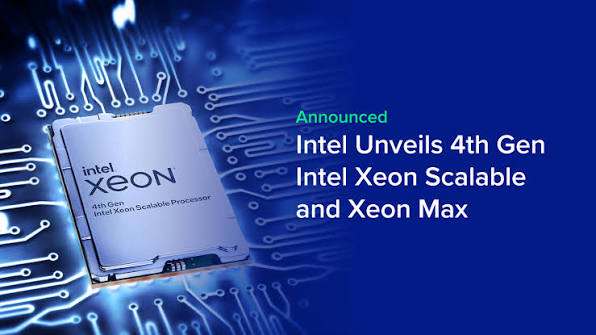
4th Gen Xeon Scalable (Sapphire Rapids)
Sapphire Rapids introduced DDR5 memory, PCIe 5.0, and CXL support. It also added built-in accelerators such as AMX for AI and others for data movement, compression, and encryption.
For many teams, this is the first generation that feels truly modern.
5th Gen Xeon Scalable (Emerald Rapids)
Emerald Rapids refined the same platform with more cores, a much larger cache, and faster memory support. It is mostly a drop-in upgrade for Sapphire Rapids systems.
Intel Xeon 6 (Sierra Forest and Granite Rapids)
Xeon 6 splits into two designs. Performance-core (P-core) chips like Granite Rapids target AI, HPC and demanding databases. Efficiency-core (E-core) chips like Sierra Forest target dense, cloud-native workloads.
Intel has since announced further Xeon 6 and follow-on products, so check Intel’s official
Intel Server Generation Comparison at a Glance: How to Identify Your Intel Server Generation
If you already own a server or you are buying a used one, you can identify its generation in a few minutes.
Generation
Approx. year
Memory
PCIe
Best for
Xeon E5 v3/v4
2014-2016
DDR4
3.0
Labs, learning
1st Gen Scalable
2017
DDR4
3.0
Very low budgets
2nd Gen Scalable
2019
DDR4
3.0
Budget production
3rd Gen Scalable
2021
DDR4
4.0
Balanced value
4th Gen Scalable
2023
DDR5
5.0
Modern workloads, A
5th Gen Scalable
2023
DDR4
5.0
Higher performance
Xeon 6
2024
DDR5
MRDIMM
5.0
AI, HPC, dense cloud
Product pages for the latest lineup before you buy.
Choosing the Right Intel Server Generation
Now, the practical part. Start with your workload, not the spec sheet.
Match the Generation to Your Workload
Web Hosting, Small Business, and Basic Virtualization
A 2nd or 3rd Gen Xeon Scalable server is usually more than enough. You get reliable performance and strong value, and the hardware is widely available.
Databases and Mid-Size Virtualization
3rd Gen or 4th Gen is the sweet spot. Higher memory bandwidth and PCIe 4.0 or 5.0 NVMe storage speed up database queries and VM density.
AI Inference, Analytics and Modern Applications
Choose 4th Gen or newer. Intel AMX accelerates inference on CPUs, which can reduce the need for a separate GPU in lighter AI workloads.
Cloud-Native, Containers and High-Density Microservices
Look at Xeon 6 E-core designs. High core counts and efficiency suit scale-out workloads.
Dev, Test and Learning Labs
Older E5 v4 or 1st Gen Scalable servers are fine. Low cost matters more than speed here.
Consider Memory and Storage Compatibility
DDR4 and DDR5 are not interchangeable. If you already own a pile of DDR4 RAM, a 2nd or 3rd Gen platform lets you reuse it.
If you are building for the long term, DDR5 and PCIe 5.0 on 4th Gen or newer give you more headroom.
Factor in Power, Cooling, and Total Cost of Ownership
Older servers are cheap to buy but costly to run. A single modern server can consolidate several older machines, which saves electricity, cooling, and rack space.
Check Security and Support Status
Older generations may no longer receive firmware, BIOS, or microcode updates from the OEM. For regulated or internet-facing workloads, that is a real risk.
Common Mistakes to Avoid
Buying on core count alone and ignoring the generation.
Mixing CPUs from different generations in one dual-socket server.
Forgetting that the socket and memory type must match the motherboard.
Ignoring per-core software licensing, where fewer, faster cores can cost less.
Skipping a firmware and BIOS version check on used hardware.
Expert Tip: A Simple Decision Framework
Define your workload and growth for the next three to five years.
Pick theoldest generation that comfortably meets those needs with headroom.
Check memory, PCIe, security, and support status.
Compare the total cost of ownership, not just the purchase price.
Confirm compatibility before ordering.
Key Takeaways
A server generation defines the CPU, socket, memory type, and I/O.
The model number is the fastest way to identify the generation.
2nd and 3rd Gen are best for value; 4th Gen and newer are for modern and AI workloads.
Always compare the total cost of ownership, not only the purchase price.
Check memory, firmware, and support status before buying.
Conclusion
Picking the right Intel server generation comes down to matching your workload, budget, and timeline to the right platform. Know how to identify what you have, understand what each Xeon generation adds, and avoid paying for performance you will not use.
If you want expert help comparing options or sourcing the right hardware, Serverstack can guide you from selection to configuration, so your servers are reliable, efficient and ready to scale.
Frequently Asked Questions (FAQs)
1. What is the latest Intel Xeon server generation?
Intel’s current server line is the Xeon 6 family, launched in 2024, which includes P-core (Granite Rapids) and E-core (Sierra Forest) designs. Intel continues to expand it, so check Intel’s official product pages for the newest models.
2. How do I find out which Intel Xeon generation my server has?
Read the processor model number, then match it to its code name. On Linux, it shows it, and on Windows, you can use Task Manager. Management tools like iDRAC or iLO also show the exact CPU.
3. Which Intel Xeon generation is best for virtualization?
3rd Gen (Ice Lake) and 4th Gen (Sapphire Rapids) are strong picks. They offer more memory channels, higher bandwidth, and faster storage, which support higher VM density.
4. Are older Intel Xeon servers still worth buying?
Yes, for the right use. 2nd- and 3rd-gen Xeon Scalable servers remain good for web hosting, file servers, and light virtualization. Avoid very old generations for security-sensitive or demanding workloads.
5. What is the difference between Xeon Scalable and Xeon E5?
Xeon E5 is the older line (v1 to v4) used until about 2016. Xeon Scalable replaced it in 2017 with new tiers (Bronze, Silver, Gold, Platinum), a new socket, and more memory channels and features.
6. Does a newer Intel server generation always perform better?
Generally, yes, but not always for your specific workload. A newer generation usually gives better efficiency and features, while a well-chosen older server can be the smarter buy if your needs are modest.
Tags:
Best Serverbest server for large businessesbest servers for small businessBuy High Storage ServerBuy Server Online Indiaphysical serverRack ServerServer Cost in IndiaStorage Server