
Table of Contents
File storage, backups, virtualization, video streaming, software testing, cybersecurity laboratories, AI workloads, and learning business IT may all benefit from home servers. Selecting the appropriate hardware, however, might be difficult. Is it better to utilize a rack-mounted server, desktop computer, tower server, or tiny PC?
Rack servers are made to be installed in typical server racks. Strong performance, expandability, remote management, and well-organized hardware installation are all provided. However, trade-offs, including noise, power consumption, heat, and extra equipment expenditures, may accompany these benefits.
A Rack server may be a great purchase for a home lab, small business, developer workstation, or major storage setup, but only if its benefits align with your real needs.
Before you decide to buy server online, this guide covers the main benefits and drawbacks of rack-mounted servers for home use and offers helpful guidance.
What Are Rack-Mounted Servers?
Rack-mounted servers are computers designed to be installed inside a standard server rack. Unlike tower servers, they use a flat, horizontal chassis that is typically measured in rack units, or U.
Example:
- 1U server: Approximately 1.75 inches high
- 2U server: Approximately 3.5 inches high
- 4U server: Approximately 7 inches high
The rack unit describes the server’s height, not its computing power.
Excellent performance and minimal vertical space consumption are possible with a 1U server. More space is often available for storage drives, expansion cards, cooling systems, or multiple GPUs on a 2U or 4U model.
Why Are Rack Servers Used at Home?
If you’d like, you may think about a rack server:
Construct a lab for virtualisation.
Run many virtual machines.
Keep a lot of data
Establish a server specifically for backup.
Host webpages or apps
Utilize databases
Try experimenting with containers
Construct a cybersecurity testing environment
Study the management of business servers.
Execute AI or GPU tasks
Encourage a small business from your house
“Can I use a rack server at home?” is not the crucial question. You can, without a doubt.
“Do I require a rack server’s capabilities?” is a more pertinent question.
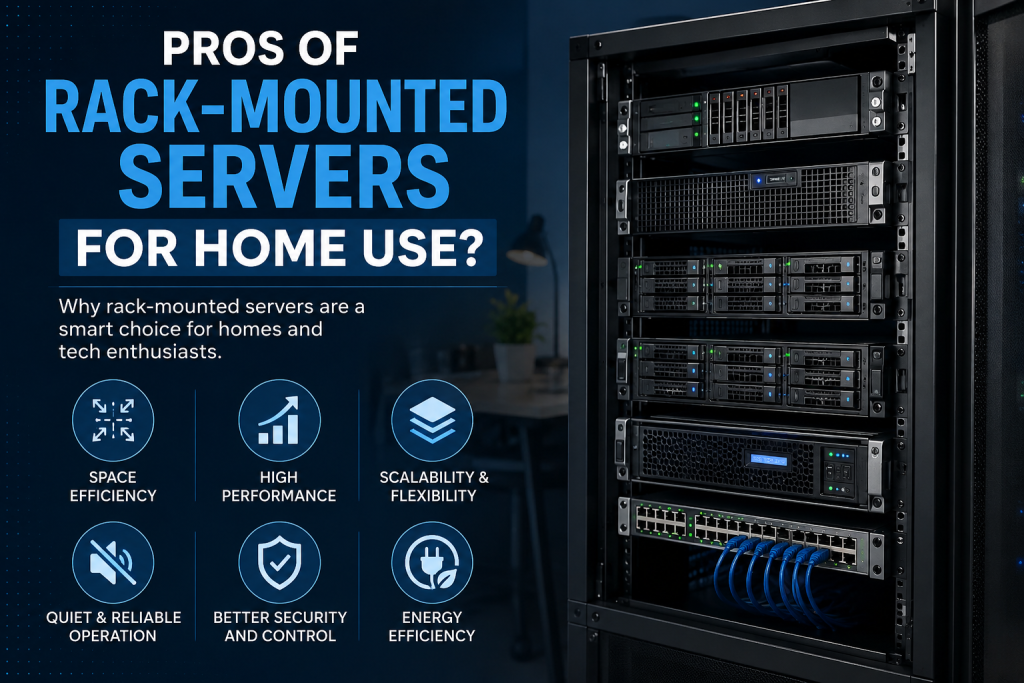
Pros of Rack-Mounted Servers for Home Use?
1. Excellent Performance
Performance is one of the main benefits of rack-mounted servers.
Server-grade CPUs, plenty of RAM, many storage drives, and fast networking are all supported by several rack servers. They can manage tasks that would be challenging for a typical desktop PC, depending on the setup.
For example, a home lab running:
- 5 to 10 virtual machines
- A database server
- Network storage
- Docker containers
- Monitoring software
- Backup applications
May benefit from server hardware with higher memory capacity and multiple CPU cores.
For demanding workloads, choosing the right processor, RAM configuration, storage architecture, and networking hardware is more important than simply choosing the newest server.
2. Better Hardware Expansion
A desktop computer often has limited expansion capacity.
Rack-mounted servers are designed with expansion in mind. Depending on the chassis, you may be able to add:
- More RAM
- Additional HDDs or SSDs
- RAID controllers
- Network cards
- Storage adapters
- GPUs
- PCIe expansion cards
This makes rack servers particularly useful for people whose storage or computing requirements are expected to grow.
Example
Imagine starting with eight storage drives and 64 GB of RAM.
Two years later, you need:
- 12 drives
- 128 GB RAM
- 10GbE networking
- Additional virtualization capacity
A suitably configured rack server may accommodate these upgrades without replacing the entire system.
3. High Storage Capacity
Storage is another major advantage.
Many rack-mounted servers support several hot-swappable or internally mounted drives. This makes them suitable for:
- NAS workloads
- Business backups
- Video archives
- Media libraries
- Virtual machine storage
- File servers
- Surveillance recordings
If you need hundreds of terabytes of storage eventually, a rack-based environment can be much easier to organize than multiple desktop computers.
4. Excellent for Virtualization
Rack servers are popular among home lab enthusiasts because they work well with virtualization platforms.
You can use one physical server to run several virtual machines instead of purchasing separate computers for every workload.
Example:
One rack server
- Virtual machine for Windows Server
- Virtual machine for Linux
- Virtual machine for database testing
- Virtual machine for web hosting
- Virtual machine for cybersecurity testing
This can reduce hardware duplication and make your lab easier to manage.
However, virtualization performance depends heavily on CPU cores, RAM, storage speed, and the software platform you choose.
5. Centralized Management
Server hardware often includes remote management technologies that allow administrators to monitor or manage the server remotely.
Features might include, depending on the model and manufacturer:
- Remote power control
- Hardware monitoring
- Temperature monitoring
- Fan monitoring
- Remote console access
- Firmware management
- Hardware health alerts
This is particularly useful when the server is installed somewhere you do not want to physically access every time there is a problem.
For a home lab, remote management can also be an excellent way to learn real-world server administration.
6. Efficient Use of Rack Space
If you already have a rack, rack-mounted servers make excellent use of vertical space.
Instead of placing multiple large computers on desks or shelves, you can organize equipment vertically.
A rack may contain:
- Servers
- Network switches
- Patch panels
- UPS systems
- Storage equipment
- Firewalls
- Cable management accessories
This creates a cleaner and more professional infrastructure.
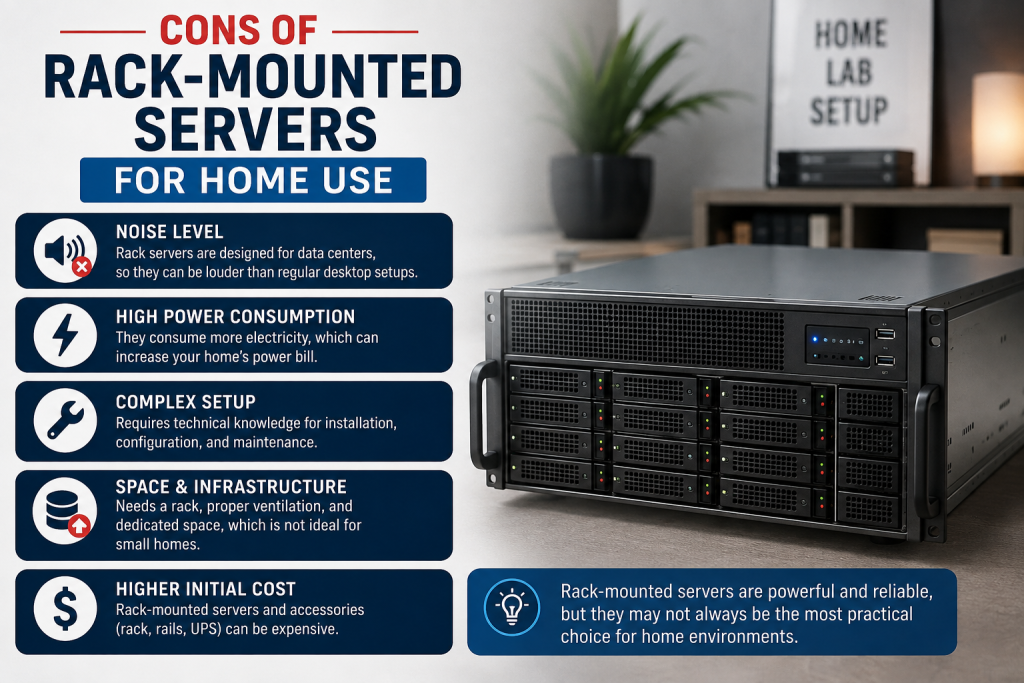
Cons of Rack-Mounted Servers for Home Use?
1. Noise Can Be a Major Problem
This is probably the biggest disadvantage for home users.
Many rack servers use high-speed fans to keep processors, memory, storage, and expansion hardware cool. These fans can be considerably louder than the cooling system in a normal desktop PC.
If your server sits next to your bed or in a home office, fan noise can quickly become frustrating.
Practical Recommendation
Before purchasing a rack server for home use, check:
- Fan configuration
- Server generation
- CPU thermal design
- Expected operating temperature
- Manufacturer noise specifications, if available
- Whether the fan speed can be controlled
A rack server installed in a dedicated utility room or server room is generally easier to live with than one placed in a bedroom.
2. Higher Power Consumption
Performance comes with an energy cost.
An enterprise rack server may consume significantly more electricity than a low-power mini PC or desktop, particularly when equipped with multiple CPUs, many drives, or GPUs.
For example, a low-power home server might be suitable for basic file storage, while a powerful rack server could make more sense for virtualization or compute-intensive workloads.
Think About Total Cost
Don’t look only at the purchase price.
Your real cost includes:
Server purchase price + electricity + storage + networking + rack + UPS + cooling
For a server that operates 24/7, electricity can become an important part of the long-term budget.
3. Heat Generation
More power consumption generally means more heat.
A powerful server can turn a small room into a surprisingly warm environment.
This matters particularly in warm climates where the room already requires air conditioning.
Before installing a rack server at home, consider:
- Room ventilation
- Air conditioning
- Server airflow
- Ambient temperature
- Rack location
- Heat produced by other equipment
Cooling costs can sometimes make a low-cost used server more expensive to operate over several years.
4. You May Need a Server Rack
Buying the server itself may not be enough.
If you purchase rack-mounted servers without already having a rack, you may also need:
- Server rack
- Rack rails
- Power distribution unit
- UPS
- Network switch
- Cable management
- Shelves or accessories
- Additional cooling
This can significantly increase the initial setup cost.
If you only need one server, a tower server or desktop-based system may be simpler.
5. Rack Server Price Can Vary Significantly
The rack server price depends on factors such as:
- CPU generation
- Number of processors
- RAM capacity
- Storage configuration
- RAID controller
- Network interface
- GPU support
- Brand
- Warranty
- New or refurbished condition
A basic configuration may be affordable, while a high-end enterprise system can cost several times more.
This is why comparing configurations is more useful than comparing server model names alone.
6. Physical Installation Can Be More Complicated
Rack servers can be heavier and more difficult to install than desktop PCs.
Some systems require:
- Rack rails
- Proper rack depth
- Correct power connections
- Cable management
- Adequate ventilation
- Two-person installation for heavier systems
If you are building your first home lab, this extra complexity is worth considering.
Rack-Mounted Servers vs Tower Servers for Home Use
Feature | Rack-Mounted Server | Tower Server |
Space efficiency | Excellent in a rack | Requires floor/desk space |
Noise | Usually higher | Usually lower |
Power use | Moderate to high | Low to moderate, depending on hardware |
Expandability | Excellent | Good to excellent |
Storage capacity | Excellent | Good to excellent |
Remote management | Common | Model-dependent |
Installation | More complex | Easier |
Cooling requirements | Higher | Generally easier |
Home-office suitability | Depends on location | Usually better |
Multiple servers | Excellent | Takes more physical space |
Professional setup | Excellent | Good |
Which Should You Choose?
Choose rack-mounted servers when you need:
- Multiple servers
- High storage capacity
- Virtualization
- Enterprise networking
- Remote management
- High-performance computing
- A scalable home lab
Choose a tower server when you prioritise:
- Lower noise
- Simpler installation
- Easier maintenance
- Home-office use
- A single-server setup
Features to Check Before Buying Rack-Mounted Servers
CPU
Look at:
- Number of cores
- Thread count
- Processor generation
- Clock speed
- CPU power requirements
For virtualization, core count is often particularly important.
RAM
Don’t underestimate memory.
If you plan to run multiple virtual machines, databases, or containers, additional RAM can make a significant difference.
For a serious home lab, consider whether the server supports future memory upgrades rather than buying only for today’s workload.
Storage
Decide whether you need:
- SATA HDDs
- Enterprise SSDs
- NVMe SSDs
- RAID
- Hot-swap drives
For large archives, HDDs can provide capacity at a lower cost. For virtualization and databases, SSD or NVMe storage may provide much better responsiveness.
Network Connectivity
Gigabit Ethernet may be enough for basic applications.
But if you plan to move large amounts of data between your server and other systems, consider:
- 2.5GbE
- 10GbE
- 25GbE
- Fibre Channel or other specialized connectivity where appropriate
Remote Management
If you plan to keep the server in a separate room, remote management can be extremely valuable.
Power Supply
Check whether the server uses:
- Single PSU
- Redundant PSUs
- Hot-swappable PSUs
Redundant power supplies are particularly useful for business-critical workloads but may be unnecessary for a basic home lab.
How Much Does a Home Server Really Cost?
The small business server cost or home server budget should include more than the hardware.
Consider this example:
Cost Area | What to Consider |
Server | CPU, RAM, storage, chassis |
Rack | Wall-mounted or floor-standing |
UPS | Protection from power interruptions |
Networking | Switches and cables |
Storage | HDDs/SSDs and RAID |
Electricity | 24/7 operating cost |
Cooling | Room ventilation or AC |
Warranty | Support and replacement coverage |
A server that appears inexpensive initially may have a higher total cost of ownership if it consumes considerable electricity or requires additional infrastructure.
Should You Buy New or Refurbished Rack-Mounted Servers?
Both options can make sense.
New Servers
A new server usually offers:
- Current-generation hardware
- Manufacturer warranty
- Longer expected support
- Better efficiency in newer generations
- Greater configuration flexibility
Refurbished Servers
Refurbished hardware can provide:
- Lower initial cost
- Enterprise-grade components
- Excellent home-lab value
- More affordable experimentation
However, check the condition, warranty, drive health, power supplies, compatibility, and availability of replacement components before purchasing.
If reliability matters, avoid choosing solely on the lowest rack server price.
When Are Rack-Mounted Servers a Bad Choice for Home Use?
A rack server may not be the right choice if you only need:
- Basic file sharing
- Occasional backups
- Light media streaming
- A simple home automation server
- Low-power applications
- A quiet bedroom computer
In these cases, a mini PC, NAS, workstation, or tower server may offer a better balance of performance, noise, and power consumption.
The best server isn’t necessarily the most powerful server.
It is the server that provides enough performance without creating unnecessary operating costs.
Practical Example: Choosing a Rack Server for a Home Lab
Suppose you want to build a home lab for learning virtualization.
You plan to run:
- 4 Linux VMs
- 2 Windows VMs
- A database
- Docker containers
- A backup server
Instead of purchasing six separate computers, you could use one appropriately configured rack server.
A sensible configuration might prioritise:
- A multi-core CPU
- Plenty of RAM
- Fast SSD storage for virtual machines
- Large HDDs for backups
- Reliable networking
- Remote management
- A UPS
- Adequate cooling
The exact hardware should depend on the workload rather than simply choosing the largest server available.
How to Buy Rack-Mounted Servers Online?
If you are planning a server purchase online, compare the complete configuration rather than just the advertised model.
Before you buy new server online, check:
- Processor model
- RAM generation and capacity
- Maximum supported RAM
- Number of drive bays
- Drive interface
- RAID support
- PCIe slots
- GPU compatibility
- Network ports
- Power supply configuration
- Warranty
- Rails included or sold separately
- Server dimensions
- Noise and cooling requirements
For businesses, also confirm after-sales support and replacement-part availability.
A reputable supplier such as Serverstack can help you select a configuration based on workload, budget, storage requirements, and future expansion plans.
Key Takeaways
- Rack-mounted servers can be excellent for advanced home labs and small businesses.
- They provide strong performance, expandability, storage capacity, and centralised management.
- Noise is one of the biggest disadvantages for home users.
- Power consumption and heat should be considered before installation.
- You may need a rack, UPS, networking equipment, and additional accessories.
- Rack server price depends heavily on CPU, RAM, storage, networking, and configuration.
- A tower server or mini PC may be better for simple home workloads.
- For virtualization and advanced testing, rack servers can provide excellent value.
- Don’t judge a server only by its purchase price. Consider its total cost of ownership.
- Choose hardware according to your workload and future requirements.
Conclusion
Rack-mounted servers can be a powerful choice for home labs, developers, IT professionals, small businesses, virtualization enthusiasts, and users who need serious storage or computing capacity. Their biggest strengths are performance, expandability, storage density, remote management, and scalability.
However, they also have disadvantages. Noise, electricity consumption, heat, installation complexity, and additional equipment can make them less attractive for basic home workloads.
Before you purchase, look beyond the rack server price. Consider your workload, available space, electricity costs, cooling requirements, future expansion, and maintenance needs.
If you are planning a server purchase online or want to buy a new server online, compare configurations carefully instead of choosing hardware based only on specifications or price.
For help selecting the right rack-mounted server for your home lab or business requirements, explore the available server configurations and solutions from Serverstack and choose a system that balances performance, reliability, scalability, and long-term operating cost.
Frequently Asked Questions
1. Are rack-mounted servers good for home use?
Yes. Rack-mounted servers can be excellent for home use if you need virtualization, large storage capacity, high computing performance, networking, or a serious home lab. They are less suitable when low noise and low power consumption are the top priorities.
2. Are rack servers noisy?
They can be. Many rack servers use high-speed fans because they are designed for dense data-center environments. Noise levels depend on the server model, workload, cooling design, and fan configuration.
3. Is a rack server better than a normal PC?
Not necessarily. A rack server is better for workloads requiring server-grade expandability, storage, remote management, and continuous operation. A normal PC may be better for everyday home use because it is generally quieter and easier to install.
4. How much electricity does a rack server use?
There is no single number because consumption varies greatly by processor, memory, drives, GPUs, workload, and power-management settings. Check the actual power draw of the configuration rather than relying only on the PSU’s maximum wattage.
No, technically you can operate a rack server outside a rack if it has appropriate support and airflow. However, a proper rack makes installation, cable management, cooling, and expansion much easier.
5. Can I use a rack server for gaming?
It is possible, but it is usually not the most practical choice. Gaming systems are generally designed around consumer GPUs, quieter cooling, and desktop environments. A rack server makes more sense for virtualization, hosting, storage, AI, and professional workloads.
6. What should I check before buying a rack server?
Check the CPU, RAM capacity, drive bays, storage interface, RAID controller, PCIe slots, networking, power supplies, remote management, rack dimensions, cooling requirements, warranty, and future upgrade options.
7. Is the rack server price the only factor I should consider?
No. Look at the total cost of ownership. Electricity, cooling, UPS equipment, storage, networking, rack accessories, maintenance, and warranty can all affect the actual cost of running a server.
8. Can a rack server run 24/7 at home?
Yes, provided the server has adequate cooling, ventilation, stable power, and suitable operating conditions. A UPS can also help protect the system from power interruptions and fluctuations.
